Projects
The Projects Page serves as the interface for operational project oversight and lifecycle administration. This page provides complete project management capabilities, from creation and configuration, team and state management and advanced search and filtering.
Overview
The main view, lists all projects with controls and pagination.
-
Header & Controls: Add project, Refresh, Hide Filters, Clear Filters, Show Deleted
-
Table Columns: Select, Group Name, Actions (Edit, Delete)
Table Columns: Description Branch Code Belonging branch code CRM ERP/CRM reference Code Project code Name Client name - Branch name - Project name State Current state of the project Effective date Effective date of the project Start date Start date of the project End date End date of the project Actions (Edit, Delete) Actions to change project values -
Pagination: Current page, items per page, total projects
Project Table

Project Trash Table

The project list is filtered by default based on the user permissions.
- Team-Manager only has access to projects he is assigned to
- Team-Admin only has access to projects assigned to the same Team
- User-Admin only has access to projects assigned to the same Team
Features
- Project search & filtering: Find single or a group of projects
- Project creation: Create a new project for stocktaking execution
- Project trash: Soft delete / restore projects
- Project update: Edit existing projects
Project search & filtering
The search supports multiple field filter. The result has to match all of the set filters. The filter is persistent until the browser tab is closed or the filter is manually cleared
Filter Categories
- Branch Code Search: Search projects by branch code with partial matching
- CRM Reference Search: Find projects by external CRM system references
- Project Code Search: Search by project codes with flexible matching
- Multi-Field "Name" Search: Search across project names, client names, and branch names
- State Filtering: Filter by specific project states or view all states
- Timeline Filtering: Date range filtering for start dates with from/to selection
The search input allows regular expressions (RegEx) as search pattern. For more info visit Learn RegEx
Project creation
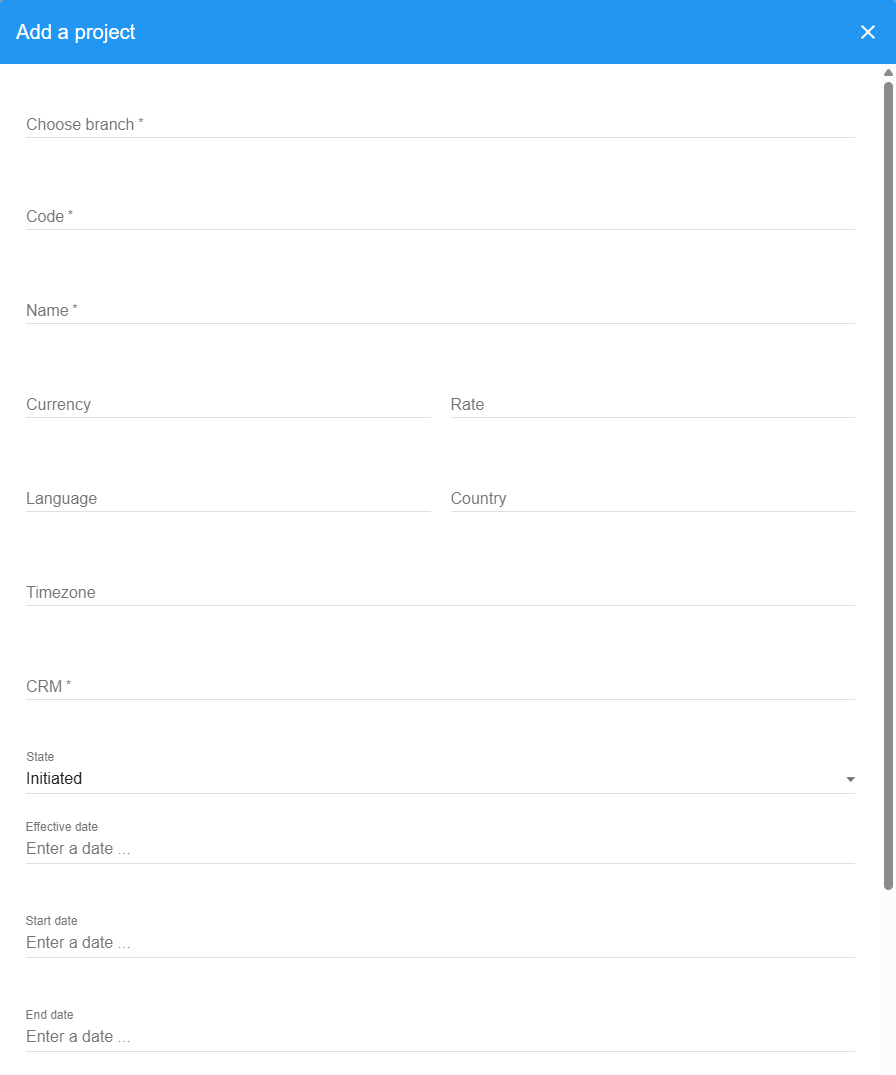
Project Setup Features
- Branch Association: Required branch selection with autocomplete search across client organizations
- Basic Information: Required code, name, and branch association for identification
- Financial Configuration: Currency, conversion rates, and payment status
- Localization Settings: Language, country, and timezone configuration
- CRM Value: Required CRM/ERP reference
- State : Set the initial state of the project (default: Initiated)
- Initiated: Project created and configured, ready for preparation
- Running: Active operational project with ongoing activities
- Closed: Project completed with all activities finished
- Published: Project results published and finalized
- Timeline Setup: Effective, start, and end dates for operational scheduling
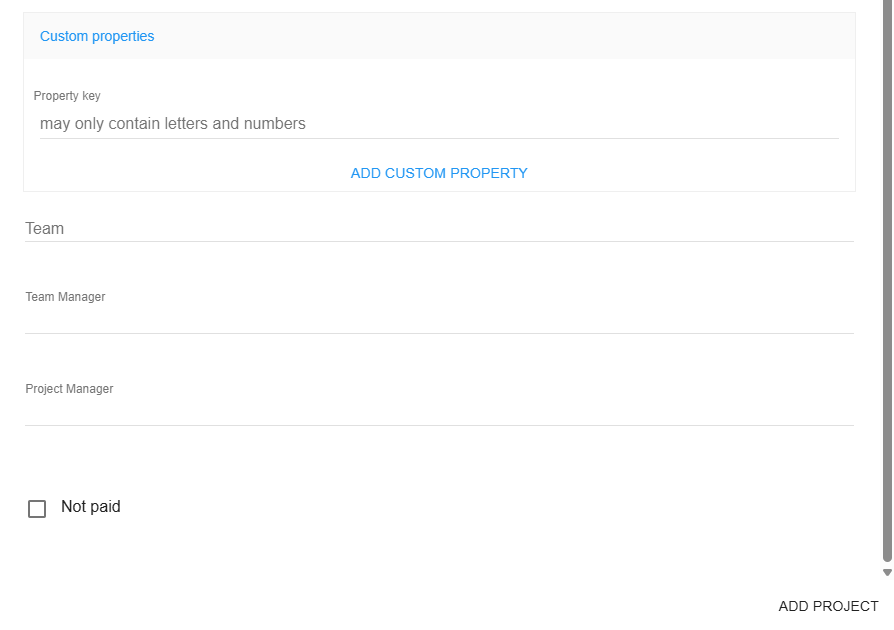
- Custom Properties: Additional fields for project-specific configuration
- Team Assignment: Team selection and manager role assignments
- Not Paid option: Option to mark projects as demo/test project.
Project trash
- Show trash

- Restore projects

- Edit deleted project

Project Update
- Edit existing project
The project editing form is similar to the Project creation form.
The branch can be updated only by users with Super-Admin role.
Troubleshooting
Common Issues
No access to projects or no option to edit projects
- Not assigned as Team-Manager or doesn’t have the correct permissions. Contact your System-Admin
| Role | View | Edit |
|---|---|---|
| System-Admin | all | all |
| Admin | all | all |
| User-Admin | same team | same team |
| Team-Admin | same team | same team |
| Team-Manager | assigned to | assigned as Team-Manager |
| Area-Manager | assigned to | ❌ |
| Employee | assigned to | ❌ |
Project can not be created or a change can't be saved
-
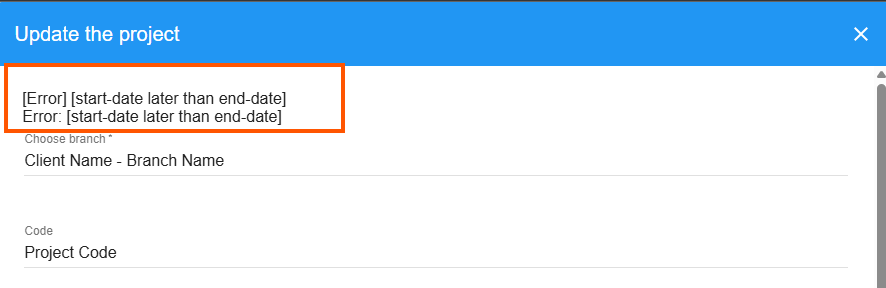
Check the Error messages on the top of the creation/edit form
-
Common issues:
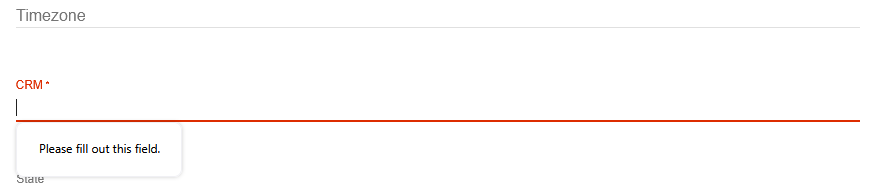
- Required field missing -> Fill out the required field
- End date before start date -> End date has to be later than the start date
- Invalid Status change -> If needed contact your System-Admin
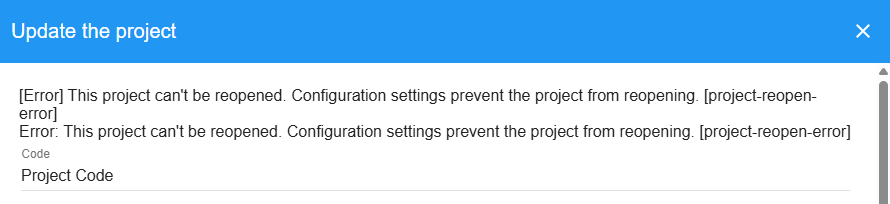
- Field validations do not match -> Adjust the mentioned fields to a valid value

- Required field missing -> Fill out the required field