Devices
The Devices Page serves as the interface for hardware device administration and software version control. The devices system enables efficient device fleet management with device group organization, version control, contact tracking, and bulk operation capabilities.
Overview
The main view lists devices with controls and pagination.
-
Header & Controls: The header actions changes when devices are selected from the list
- No device selected: Refresh Table, Filters, Show Deleted

- One or more devices selected (bulk operations): Update device version, Set minimum version, Set device group

- No device selected: Refresh Table, Filters, Show Deleted
-
Table Columns:
Table Columns: Description Select Select box for bulk operations Code Device identifier Name Name of the device Version Current version of the Stripes app Min Version Required minimum version IP Last contact IP address Last used by Last user login at the device Last contact at Timestamp of the last server contact Device group Belonging device group Device Model Device model Actions (Edit, Delete) Actions to change device values -
Pagination: Current page, items per page, total devices
Devices Table

Devices Trash Table

Features
- Device search & filtering: Find single or a group of devices
- Device tracking: Device contact tracking
- Device restoring: Soft delete / restore devices
- Device update: Edit existing devices
- Update device version: Set the current version code
- Set minimum version: Restrict access for devices below minimum version requirements
- Set device group: Group devices for bulk actions
Device search & filtering
- Search by code, Name, device group or device model
- Filter to quickly find specific devices
- Option to show deleted devices
The search input allow regular expressions (RegEx) as search pattern. For more info visit Learn RegEx
Device tracking
The Contact Tracking table provides comprehensive monitoring of device usage and user interaction for resource management.
- Monitor when devices last connected to system
- Track which users last used each device
Device restoring
- Show trash

- Restore groups

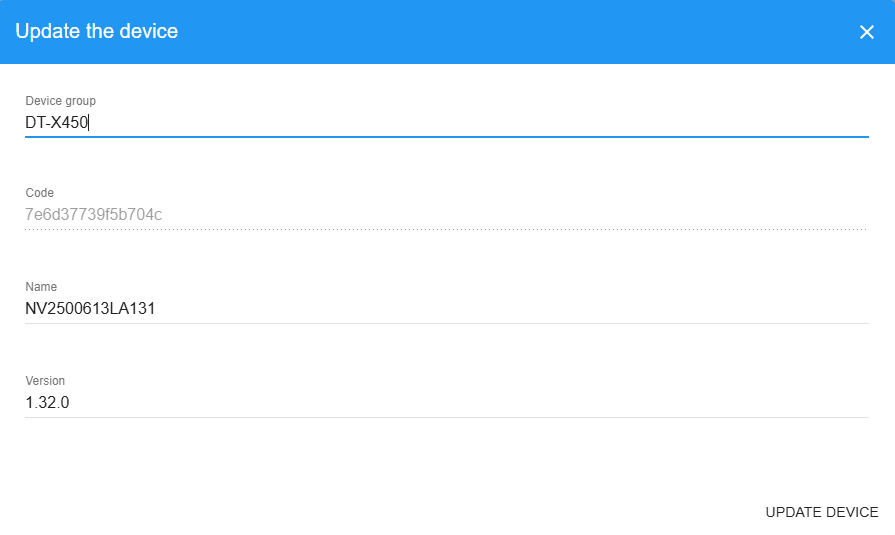
Device update
- Edit existing devices

- Device Group (dropdown). Device group management is described at Device Groups
- Device Code (read-only)
- Device Name
- Software Version -> Will be updated by the API when the user login to the system
- Actions: Cancel or update device
Update device version
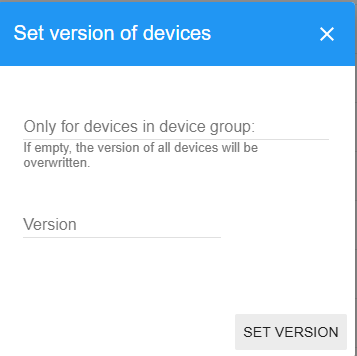
This function is deprecated and was used for the old API to manage the device Version. The Stripes Android app version is controlled by external MDM Software and the defined minimum version
- Update device version

- Select the device group for which the version should be updated.
If empty, all devices will be updated
- Set the version
- Actions: Cancel or update
Set minimum version
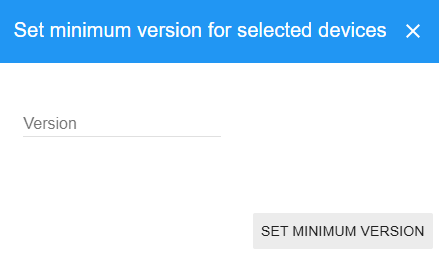
This setting will restrict access for devices below minimum version requirements. Example: If the device has Version 1.1.0 and minimum version is set to 1.2.0, access would be denied until the device is updated to version 1.2.0.
- Set minimum version requirements for security and functionality
- Actions: Cancel or update
Set device group
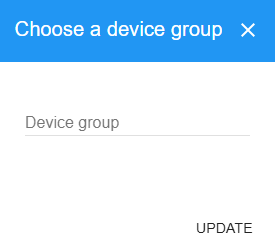
- Assign devices to groups for bulk operations

- Device Group dropdown
- Actions: Cancel or Update Group Assignment
Troubleshooting
Common Issues
- No access to the devices tab from the navigation menu or no option to edit devices
- Check the permissions and contact your System-Admin
| Role | View | Edit |
|---|---|---|
| System-Admin | ✅ | ✅ |
| Admin | ✅ | ❌ |
| User-Admin | ✅ | ❌ |
| Team-Admin | ✅ | ❌ |
| Taeam-Manager | ✅ | ❌ |
| Area-Manager | ❌ | ❌ |
| Employee | ❌ | ❌ |
- App version is reset after manual change
- The app version will be set during the login call. All manual changes will be overwritten