Device Groups
The device groups system serves as the organizational backbone for device fleet management, providing logical structure for device assignments and bulk operations from the Devices Page. It helps administrators structure, manage, and operate large device fleets efficiently.
Overview
The main view lists device groups with controls and pagination.
- Header & Controls: Add Device Group, Filters, Show Deleted
- Table Columns: Select, Group Name, Actions (Edit, Delete)
- Pagination: Current page, items per page, total device groups
Device group table

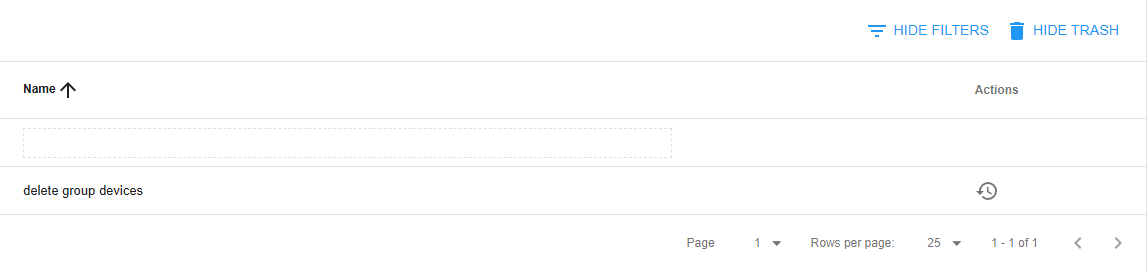
Devices group trash table
Features
The Device Groups Module operates with integrated components for complete group organization:
- Group Creation & Management: Create, edit, and organize device groups with descriptive names and clear purpose
- Device Organization: Logical grouping structure for efficient device fleet management
- Group Search & Filtering: Search capabilities for large group datasets
- Group-Based Operations: Foundation for device bulk operations and management
Group Creation & Management
- Create and name new device groups
- Edit existing groups

- Delete groups (with dependency checks)

Group Search & Filtering
- Search by group name
- Filter to quickly find specific groups
- Option to show deleted groups
The search input allow regular expressions (RegEx) as search pattern. For more info visit Learn RegEx
Group Restoring
- Show trash

- Restore groups

Troubleshooting
Common Issues
-
No access to the devices-group tab from the navigation menu or no option to edit devices
-
Check the permissions and contact your System-Admin
Role View Edit System-Admin ✅ ✅ Others ❌ ❌
-
-
"Name is required"
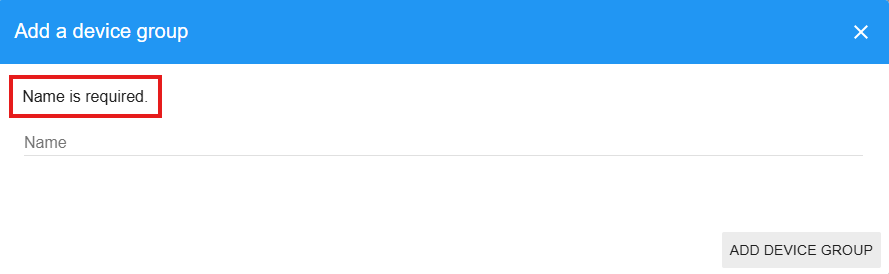
- Ensure the group name field is not empty
- Check that the name meets length requirements
- Use valid characters
-
"Group deletion failed"

- Devices are still assigned to the group
- Group is referenced in ongoing operations
- You lack permission to delete the group
- System is temporarily unavailable