API Keys
This comprehensive management interface allows you to view, organize and manage API-Keys for external API usage. The documentation to the external API usage is accessible from the technical documentation available for Super-Admins only.
Overview
The API-Key module is your centralized system for managing API-Keys and their information. The list shows all available API-Keys.
Make sure to choose a naming reflecting to the usage of the key.
The main view lists Keys with controls and pagination.
- Header & Controls: Create API-Key, Filters, Show Deleted
- Table Columns: Name, Key, Created, Created by, Last Used, Revoked, Actions (Edit, Delete)
- Pagination: Current page, items per page, total Keys
API-Key table

API-Key trash table

Features
API-Key Creation & Management
- Create and name new API-Key
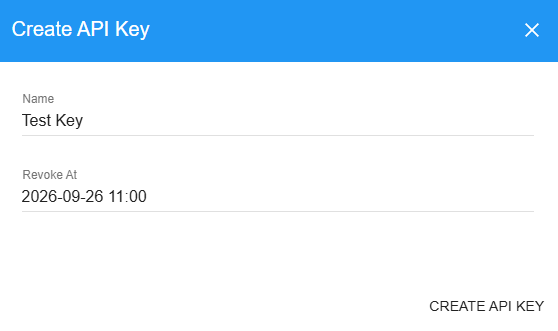
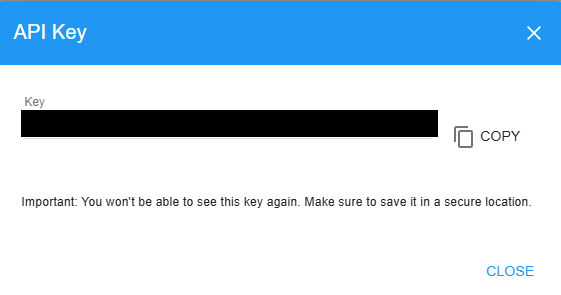
- Edit existing Key

- Delete Key

The API-Key will only be shown during the creation and will not be visible later on. Make sure to copy the key for API usage and do not store it in public places
The system does not prevent the user to create entries with an existing name. Make sure not to try to create duplicates.
API-Key Search & Filtering
- Search by key name
- Filter to quickly find specific API-Keys
- Option to show deleted keys
The search input allows regular expressions (RegEx) as search pattern. For more info visit Learn RegEx
API-Key Trash Table
- Show trash

- Restore API-Keys

- Permanently delete the API-Key

Troubleshooting
Common Issues
No access to the API-Key tab from the navigation menu
- Check the permissions and contact your System-Admin
| Role | View | Edit |
|---|---|---|
| System-Admin | ✅ | ✅ |
| Others | ❌ | ❌ |