Zonenverknüpfung
Zonenverknüpfung
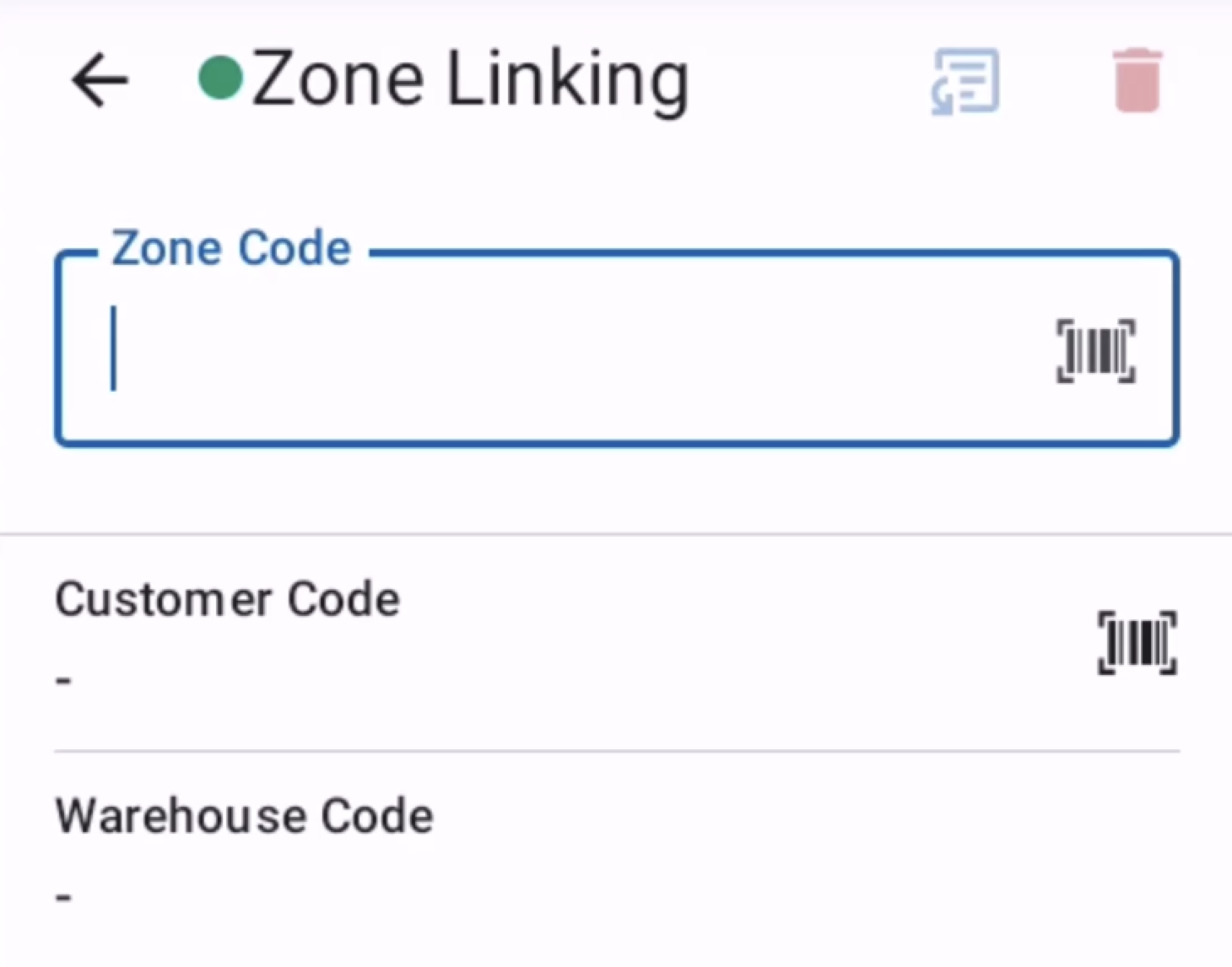
Der Zonenverknüpfungsbildschirm ermöglicht es Benutzern, physische Zonen durch einen strukturierten Datenerfassungsprozess mit bestimmten Bezeichnern zu verknüpfen.
Diese Funktion ermöglicht es Benutzern, Zonenbezeichner zu scannen, um Verbindungen zwischen physischen und digitalen Zonen herzustellen. Sie erlaubt es auch, virtuelle Zonen zu erstellen, die im System angezeigt werden, aber physisch nicht vorhanden sind. Der Bildschirm bietet einen schrittweisen Workflow, der Benutzer durch konfigurierbare Schritte führt und eine genaue Zonenidentifikation sowie eine ordnungsgemäße Datenzuordnung für die Bestandsverwaltung sicherstellt.
Obere Leiste
- Verbindungsstatus -> Die App kontaktiert den Server alle 10 Sekunden
 -> Erfolgreiche Serverantwort
 -> Fehlgeschlagene Serverantwort
- Name des aktuellen Bildschirms
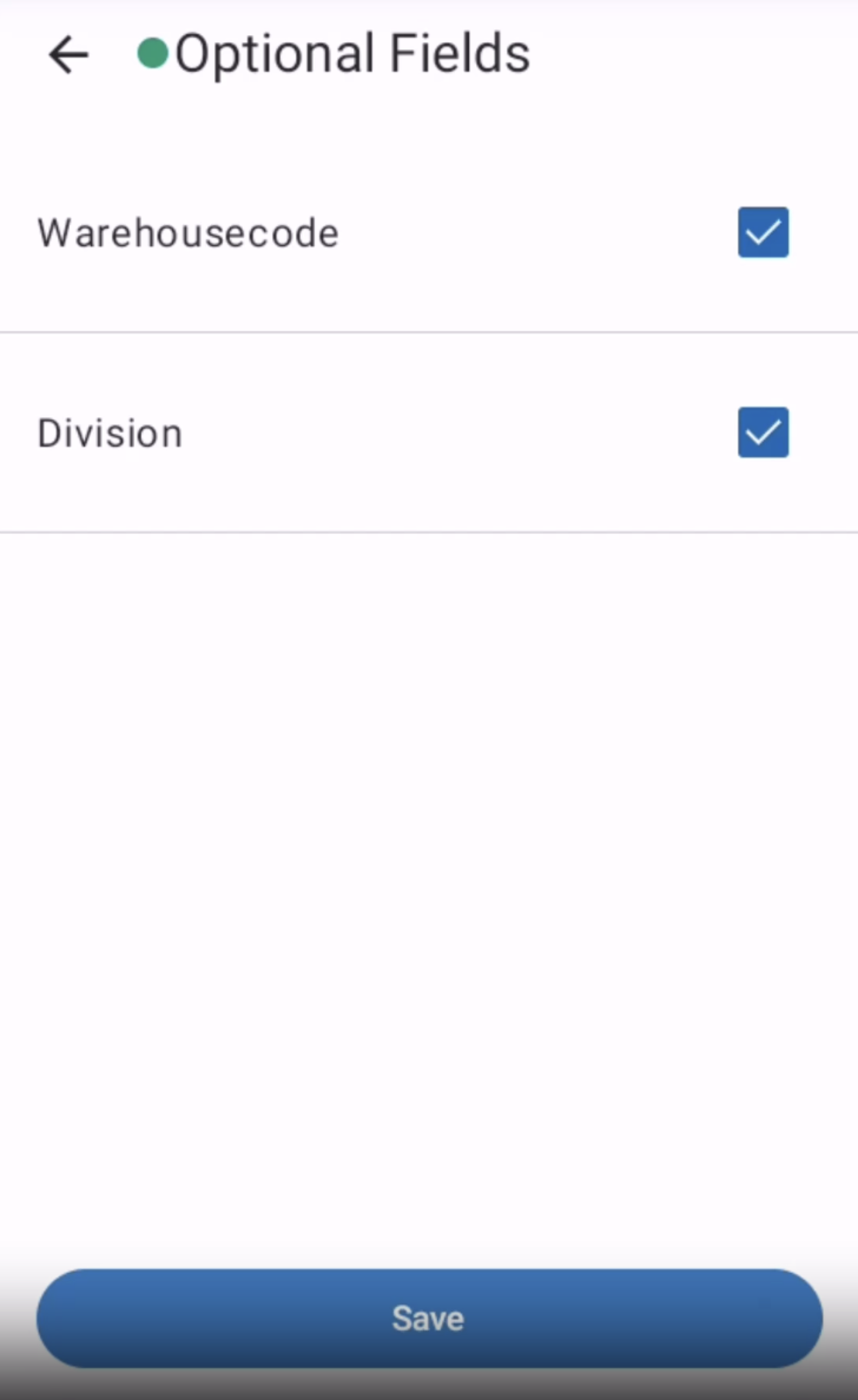
- Optionale Felder
 -> ermöglicht es dem Benutzer, optionale Felder sichtbar zu machen. Wenn nur ein Feld definiert ist, aktiviert/deaktiviert die Schaltfläche dieses Feld. Sind mehrere Felder als optional definiert, erscheint eine Auswahl.
 - Die aktuelle Verknüpfung kann in jedem Schritt vor der Übermittlung verworfen werden

- Zuletzt übermittelten Wert wiederverwenden
 -> verwendet den zuletzt übermittelten Wert für dieses Feld, ohne erneutes Scannen oder manuelle Eingabe
Felder
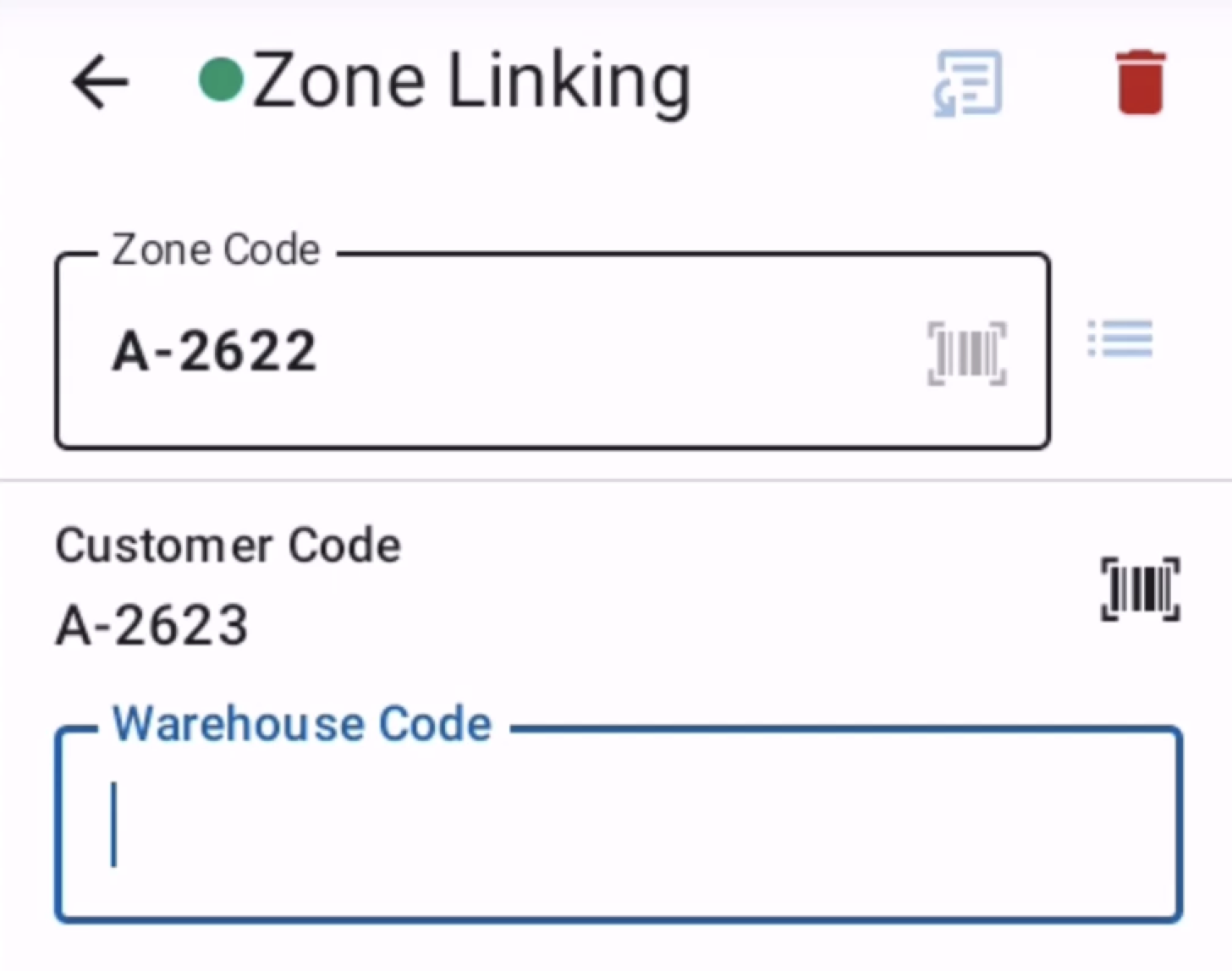
- Zonenverknüpfungs-Schrittfeld: Dynamisches Eingabefeld, das den aktuellen Schritt im Zonenverknüpfungsprozess anzeigt und es Benutzern ermöglicht, Zonenbezeichner, Standortcodes oder andere erforderliche Werte zu scannen oder einzugeben.
- Optionale Felder-Schaltfläche: Öffnet den Bildschirm zur Konfiguration optionaler Schritte, auf dem Benutzer die Sichtbarkeit nicht wesentlicher Zonenverknüpfungsschritte basierend auf Workflow-Anforderungen umschalten können. Diese Felder werden durch die Zonenverknüpfungs-Konfiguration gesteuert.
- Zoneninformationsanzeige: Zeigt kontextbezogene Informationen über die zu verknüpfende Zone an, einschließlich Zonencode, Beschreibung und vorhandener Verknüpfungen.
Tastenkürzel
| Hardware-Taste | Aktion |
|---|---|
| FN1 | Aktuelle Verknüpfung löschen |
| FN2 | Zuletzt übermittelten Wert dieses Feldes wiederverwenden |
| FN + 1 | Touch deaktivieren/aktivieren |
| FN + 2 | WLAN-Einstellungen öffnen |
| FN + 3 | Mobile-Einstellungen öffnen |
| FN + 5 | Helligkeit verringern |
| FN + 6 | Helligkeit erhöhen |
| FN + F5 | Alternative Barcode-Auswahl öffnen |
| FN + F6 | Taschenrechner öffnen |
| FN + F7 | Auswahl der optionalen Felder öffnen |
| FN + F8 | Seitenmenü öffnen |
Fehlermeldungen
- Zonenverknüpfung wird verworfen: Warnt, dass das Verlassen des Zonenverknüpfungsprozesses zum Verlust aller Fortschritte und Daten führt, die während der aktuellen Verknüpfungssitzung eingegeben wurden.
- Ungültiges Zonenbezeichnerformat: Der gescannte oder eingegebene Zonenbezeichner stimmt nicht mit dem in den Projektkonfigurationseinstellungen definierten erwarteten Formatmuster überein.
- Zonenbezeichner existiert bereits: Der zu verknüpfende Zonenbezeichner ist bereits mit einer anderen Zone verknüpft und erfordert einen eindeutigen Bezeichner oder eine Bestätigung zum Überschreiben vorhandener Verknüpfungen.