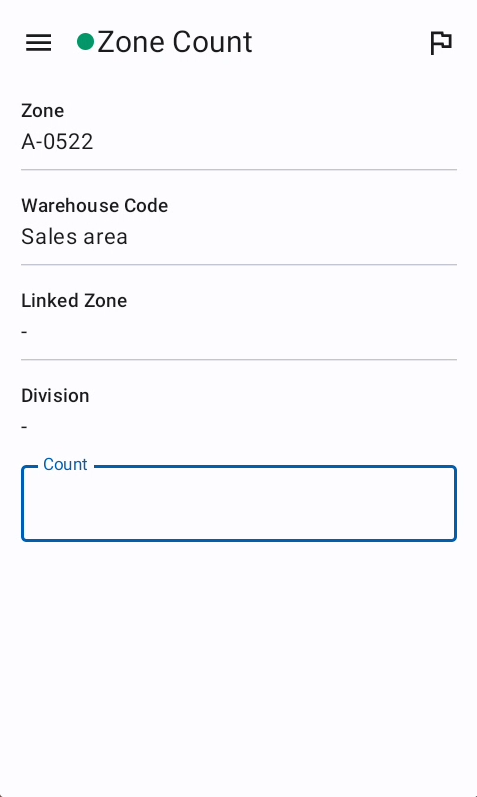
Zone Count
Description
The Zone Count Verify screen is used to verify the total count of items in a zone by entering a single number. Unlike Position Count Verify which verifies individual scan groups, Zone Count validates the entire zone's total. The system compares the entered count against the actual total scans with configurable error tolerance and retry limits. The behavior after exceeding retry limits depends on user role (employee, manager, or client-employee) and the super control setting.
Zone Count Configuration
The zone count feature is controlled by configuration settings:
- Allowed Retries: Number of retry attempts allowed (e.g., 2 means 3 total attempts: 1 initial + 2 retries).
- Positive Deviation: How many extra items over the actual count are acceptable (tolerance above).
- Negative Deviation: How many fewer items below the actual count are acceptable (tolerance below).
- Super Control: Whether to enforce strict verification on retry limit exceeded.
- Enable: Whether zone count verification is active for this project.
Zone Count Logic and Flow
ZoneCountCheckOut - Core Verification Process
- Get Zone Check-In: Retrieves the zone session being verified.
- Get Configuration: Loads zone count settings (retries, deviations, super control).
- Validate Count:
- Parses entered count to integer (throws NumberFormatException if invalid).
- Gets actual total scan count from zone info metadata (
meta.totalScanCount). - Calculates acceptable range:
- Maximum Acceptable:
totalScanCount + positiveDeviation - Minimum Acceptable:
totalScanCount - negativeDeviation
- Maximum Acceptable:
- Valid: Entered count is within the range
[minimum, maximum]. - Invalid: Entered count falls outside this range.
- Create Attempt Record:
- Saves a
ZoneCountAttemptDomainEntitywith:- Zone check-in ID
- Entered count
- Timestamp
- Mismatch flag (true if invalid, false if valid)
- Saves a
- Send Haptic Feedback:
- Success feedback if valid.
- Error feedback if invalid.
- Handle Result:
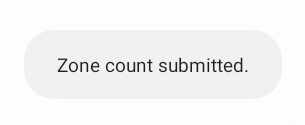
- Valid Count: Closes zone session, enqueues sync, navigates to zones screen.
- Invalid Count: Proceeds to retry handling logic.
Error Tolerance Example
Configuration: positiveDeviation = 3, negativeDeviation = 2, actual total = 100
- Acceptable range:
[98, 103] - Entering 97 → Invalid (below minimum)
- Entering 98 → Valid
- Entering 103 → Valid
- Entering 104 → Invalid (above maximum)
Retry Mechanism
How Many Retries
The retry count is determined by:
- Total Attempts Allowed:
allowedRetries + 1(configuration value + initial attempt) - Example:
allowedRetries = 2means 3 total attempts (1 initial + 2 retries)
Retry Tracking
- Each invalid count submission creates a retry attempt record.
- System queries all retry attempts for the zone check-in.
- Compares current attempt count against allowed retries.
- Shows remaining retries in error message:
InvalidCountException(retriesLeft)
What Happens on Invalid Count
Still Have Retries Left
Condition: currentAttempts < allowedRetries + 1
Action: Throws InvalidCountException with remaining retries count
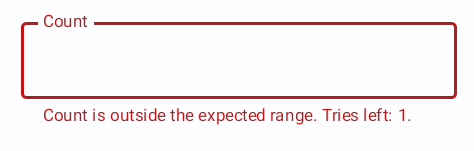
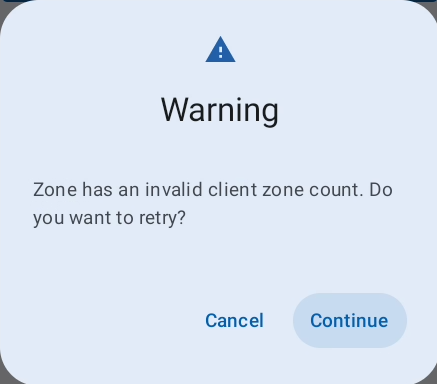
- User sees: "Invalid count. You have X attempts remaining."
- Count field is cleared.
- User can try again with a new count.
Retries Exhausted
Condition: currentAttempts >= allowedRetries + 1
Action: Proceeds to retriesLimitExceeded() logic, which depends on super control and user role.
Role-Based Behavior After Retry Limit
Super Control Disabled (superControl = false)
When retry limit is exceeded and super control is disabled:
All Users (Employee, Manager, Client-Employee):
- Zone session is automatically closed and synced.
- User continues with the incorrect count on record.
- No additional validation or rescanning required.
- System accepts the failure and moves on.
Super Control Enabled (superControl = true)
When retry limit is exceeded and super control is enabled, behavior depends on user role:
Client-Employee (Client User)
Condition: user.isClient = true
Action: Zone session is closed and synced
- Client users (customer employees) are trusted to proceed.
- Their entered count is accepted despite exceeding retries.
- Zone is marked complete.
Why: Client employees work for the customer and are considered authoritative for their own inventory.
Regular Employee or Manager
Condition: user.isClient = false
Action: Throws ZoneRescanRequiredException
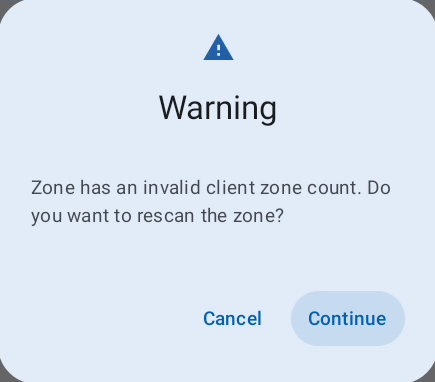
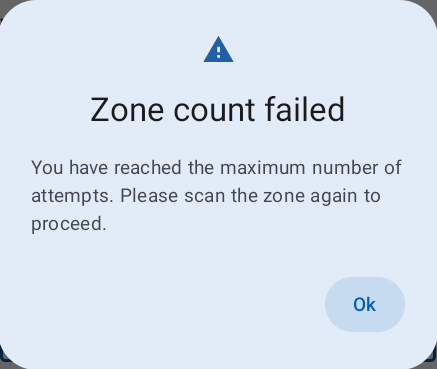
- User sees: "Zone must be rescanned."
- Zone session remains open (not closed).
- User is forced to navigate to scan flow to rescan the zone.
- Cannot proceed until zone is rescanned with correct count.
Why: Internal employees (not client) must get accurate counts and cannot bypass with incorrect data.
ValidateRetryLimit - On Screen Load
Before the user even enters a count, the system checks if retries are already exhausted:
Condition: retries >= allowedRetries + 1 AND superControl = true
Action: Throws ZoneRescanRequiredException immediately
- User sees the rescan required error on screen load.
- Must navigate to scan flow without attempting to enter a count.
- Prevents wasting time on a count entry that won't be accepted.
ValidateZoneFlags - Zone Status Check
The system also validates zone flags before allowing count entry:
Condition: Zone has both flags:
SessionByClient(zone was scanned by a client user)DeviantZoneVerification(zone count had deviations)- AND current user is an employee (
user.isEmployee())
Action: Throws ZoneRescanRequiredException
- Prevents employees from verifying zones already verified by client users with deviations.
- Forces rescan to ensure accuracy.
Complete Flow Examples
Example 1: Employee, 2 Allowed Retries, Super Control ON
- Employee enters count outside tolerance → Attempt 1 (Initial)
- System: "Invalid count. 2 attempts remaining." → Retry available
- Employee enters count outside tolerance → Attempt 2 (Retry 1)
- System: "Invalid count. 1 attempt remaining." → Retry available
- Employee enters count outside tolerance → Attempt 3 (Retry 2)
- System: No more retries → Check super control and role
- Super control = ON, user.isClient = false → ZoneRescanRequiredException
- Screen shows: "Zone must be rescanned"
- Employee must go to scan flow and rescan the zone.
Example 2: Client-Employee, 2 Allowed Retries, Super Control ON
Same as Example 1, but at step 7:
- Super control = ON, user.isClient = true → Zone closed and synced
- System accepts the entered count.
- Client-employee proceeds to next zone.
Example 3: Any User, 1 Allowed Retry, Super Control OFF
- User enters count outside tolerance → Attempt 1 (Initial)
- System: "Invalid count. 1 attempt remaining." → Retry available
- User enters count outside tolerance → Attempt 2 (Retry 1)
- System: No more retries → Check super control
- Super control = OFF → Zone closed and synced
- System accepts failure and moves on.
- Incorrect count remains on record but zone is complete.
Fields
- Count: Single integer representing the total zone count.
Error Messages
- Invalid count. X attempts remaining: Entered count is outside acceptable range, user can retry.
- Invalid Value: Count field contains non-numeric characters.
- ZoneRescanRequiredException: Retry limit exceeded and user must rescan the zone (super control enabled for non-client employees).
- ZoneCountNotAvailableException: Zone metadata does not contain total scan count information.