Synchronisierung
Der Synchronisierungsbildschirm zeigt alle Zonen-Check-in-Sitzungen an und ermöglicht es Benutzern, diese auf den Server hochzuladen. Benutzer können synchronisierte und nicht synchronisierte Sitzungen einsehen, bestimmte Sitzungen oder Projekte zur Synchronisierung auswählen und Sitzungen löschen. Das System verhindert die Synchronisierung von Sitzungen, die noch offen und nicht geschlossen sind.
Übersicht
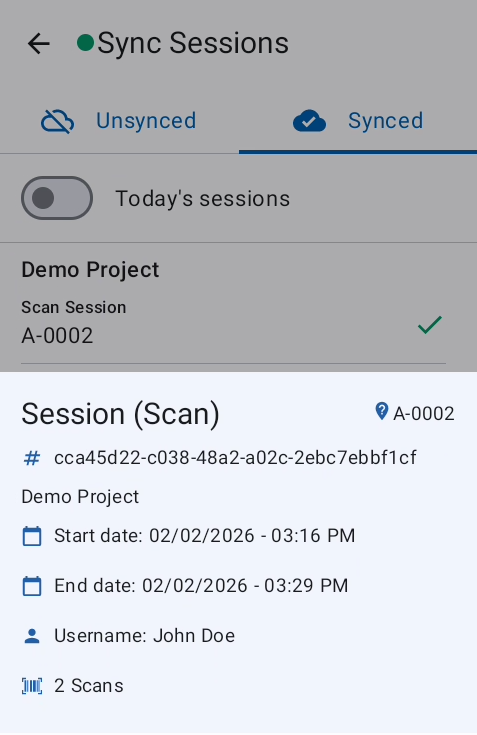
Durch Tippen auf eine Sitzung werden die Sitzungsdetails angezeigt.
Diese Details werden gelöscht, wenn die App deinstalliert oder App-Daten gelöscht werden.
Funktionen
Synchronisierte Sitzungen überprüfen
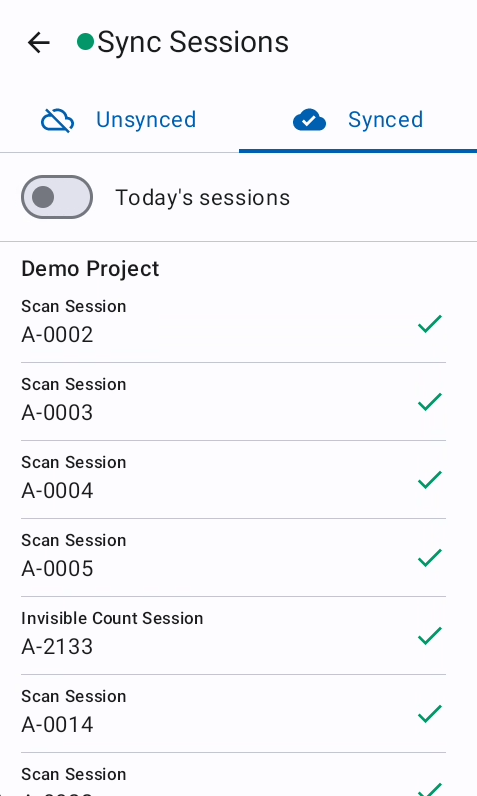
Unter der Registerkarte „Synchronisiert" können bereits synchronisierte Sitzungen eingesehen werden. Sie können auch nach heutigen Sitzungen gefiltert werden.
Nicht synchronisierte Sitzungen überprüfen
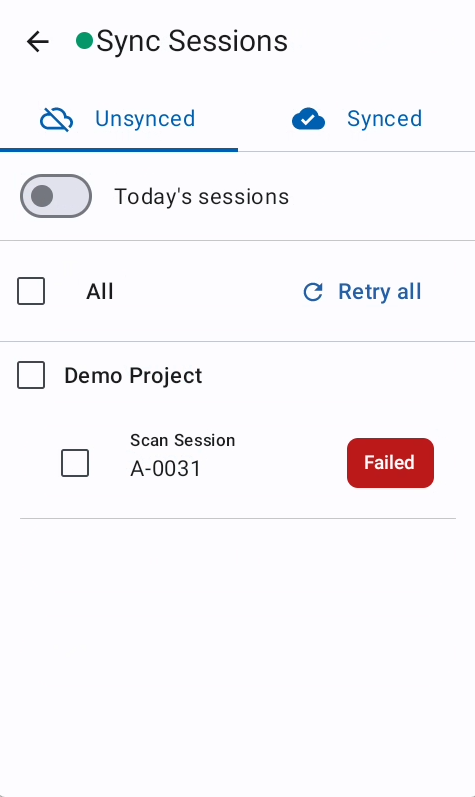
Unter der Registerkarte „Nicht synchronisiert" können nicht synchronisierte Sitzungen eingesehen werden. Die Synchronisierung kann erneut versucht und Synchronisierungsfehler überprüft werden.
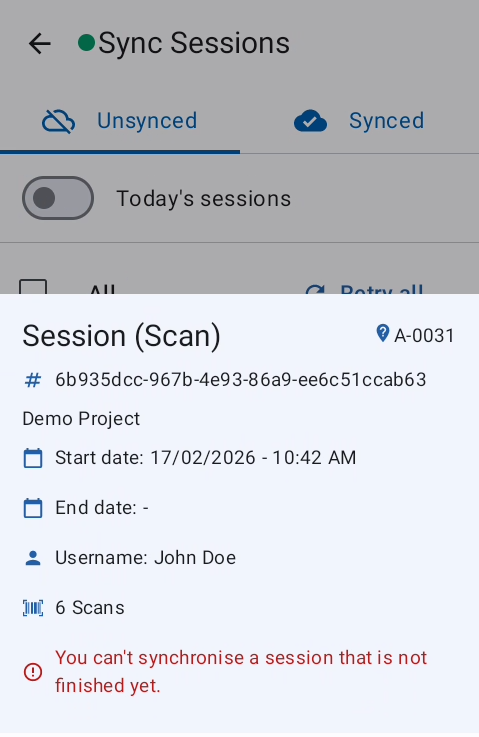
Um den Synchronisierungsfehler zu überprüfen, muss zunächst ein erneuter Synchronisierungsversuch ausgelöst werden. Nach dem erneuten Versuch wird der Synchronisierungsfehler angezeigt, wenn die Sitzungsdetails durch Tippen auf die Sitzung geöffnet werden.
Fehlerbehebung
Häufige Probleme
Eine Zonen-Check-in-Sitzung, die noch offen und nicht geschlossen ist, kann nicht synchronisiert werden.
-
Den Teamleiter informieren, um die offene Sitzung zu überprüfen oder zu löschen