Settings
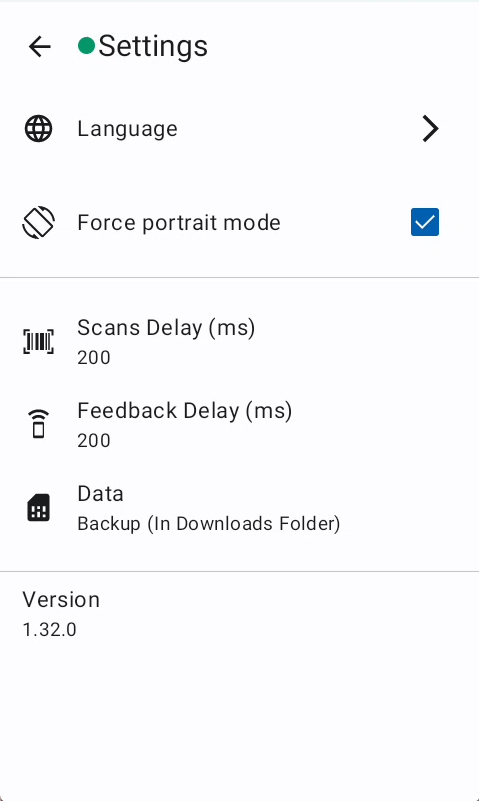
The Settings screen provides comprehensive configuration options for customizing the scanner application's behavior and performance. Users can control device orientation, manage language preferences, create data backups, and view application information. This centralized settings hub ensures optimal user experience by allowing personalized adjustments to match individual workflow requirements.
Overview
The footer displays the current application version number and build information for troubleshooting and support purposes.
Features
Dark mode
The system setting regarding the dark and light designs for the Stripes app can be overridden with this setting.
Language
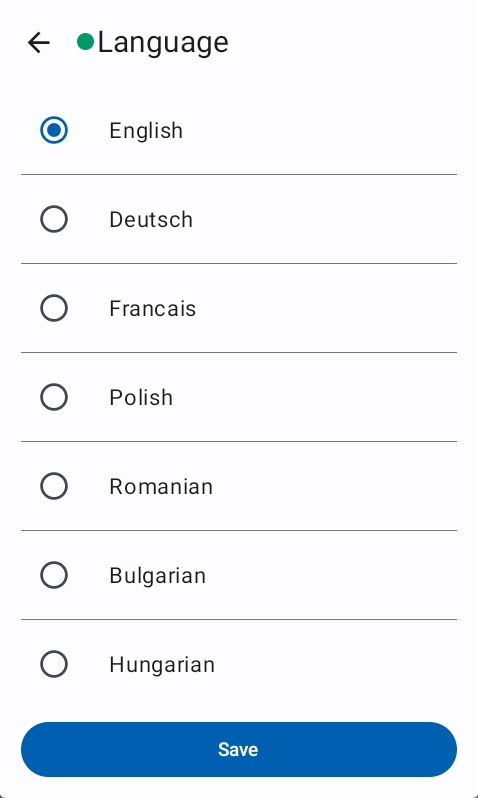
Opens the language selection interface where users can choose their preferred display language for the entire application. Language preferences will be persistently stored to the user details at the server.
Screen orientation
Locks the application interface in vertical orientation to maintain consistent layout and prevent screen rotation during scanning operations.
Backup
Initiates the creation of a complete data backup file containing all scan records and settings, automatically saved to the device's Downloads folder. The Backup is also available from the Login Screen
Troubleshooting
- Backup failed error: Appears when the backup process cannot complete successfully, typically caused by missing storage permissions, insufficient disk space, or file system access issues.